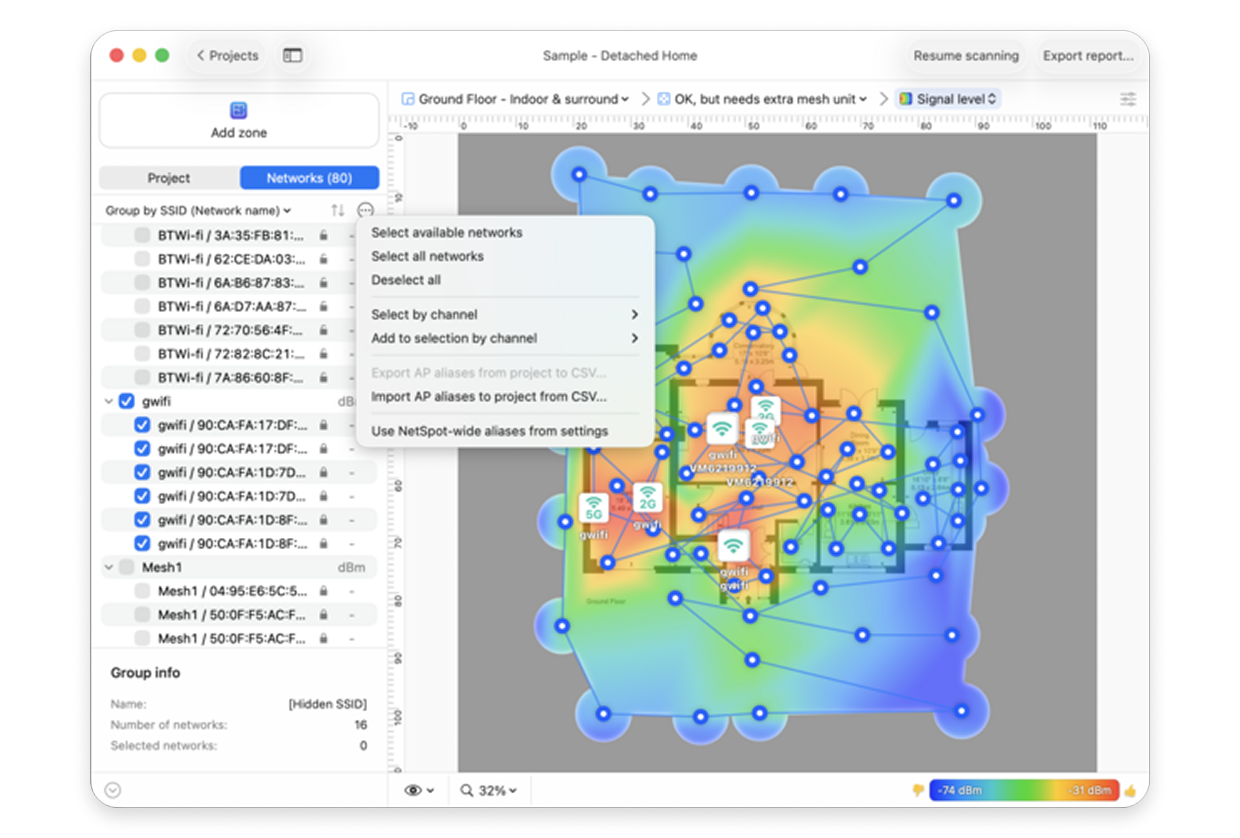
Once your scan is complete, go to the Networks tab in the left sidebar. Every detected SSID will be listed there, grouped by network name by default — expand a group to see its individual access points (BSSIDs).
Select specific SSIDs you would like to analyze by checking the box next to their name.
For more options, click the ••• (more options) menu icon at the top-right of the Networks list. There you have the following options:
- Select available networks — selects the networks currently broadcasting;
- Select all networks / Deselect all;
- Select by channel — a submenu listing every channel detected in the scan (e.g. 1, 5, 6, 7, 11, 36, 132, 149); choosing one selects only the networks operating on that channel, replacing the current selection;
- Add to selection by channel — same channel submenu, but adds the networks operating on a certain channel to an already active selection instead of replacing it.
NetSpot PRO allows for additional ways that networks can be grouped and selected.
Get NetSpot WiFi tool for Windows
It is not possible to pre-select specific networks prior to scanning.
updated: November 4, 2026 author: