PRO and Enterprise level users have the ability to group networks by:
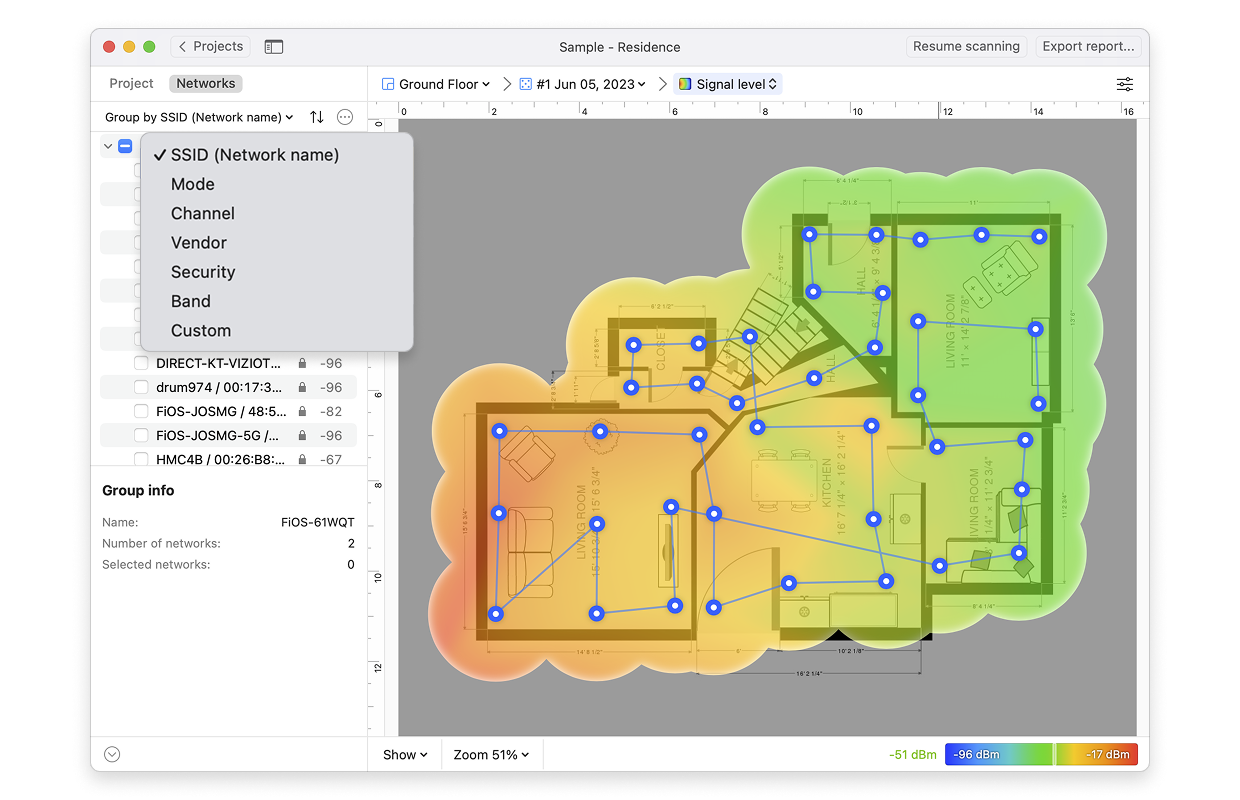
- Mode
- Channel
- Vendor
- Security Type
- Frequency Band
- Custom Groups
This makes it easier to select and deselect related networks with one click.
To group by one of the first 5 options, simply click on the “Group by…”.
To add a custom group:
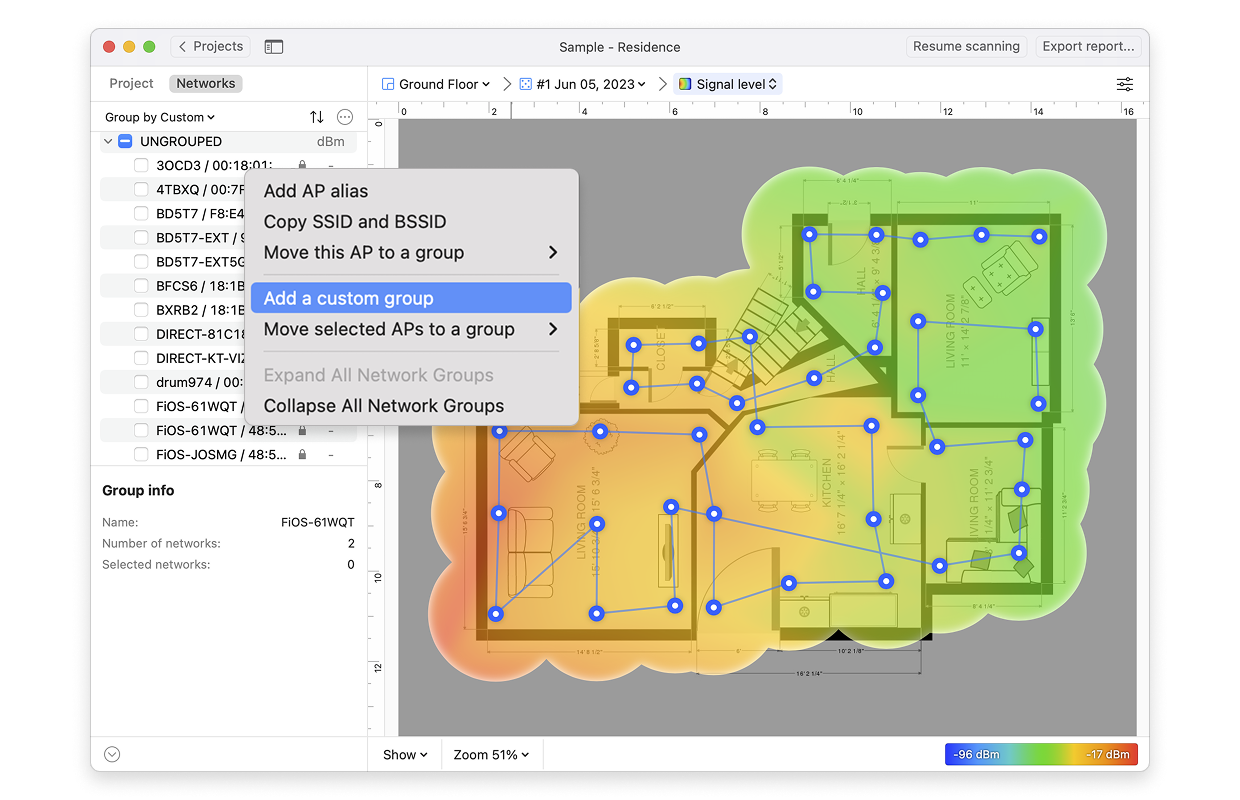
- Select Group by > Custom.
- Right-click on the network list and select Add a custom group.
- Type the name for your new group in the blank field that will appear at the top of the list.
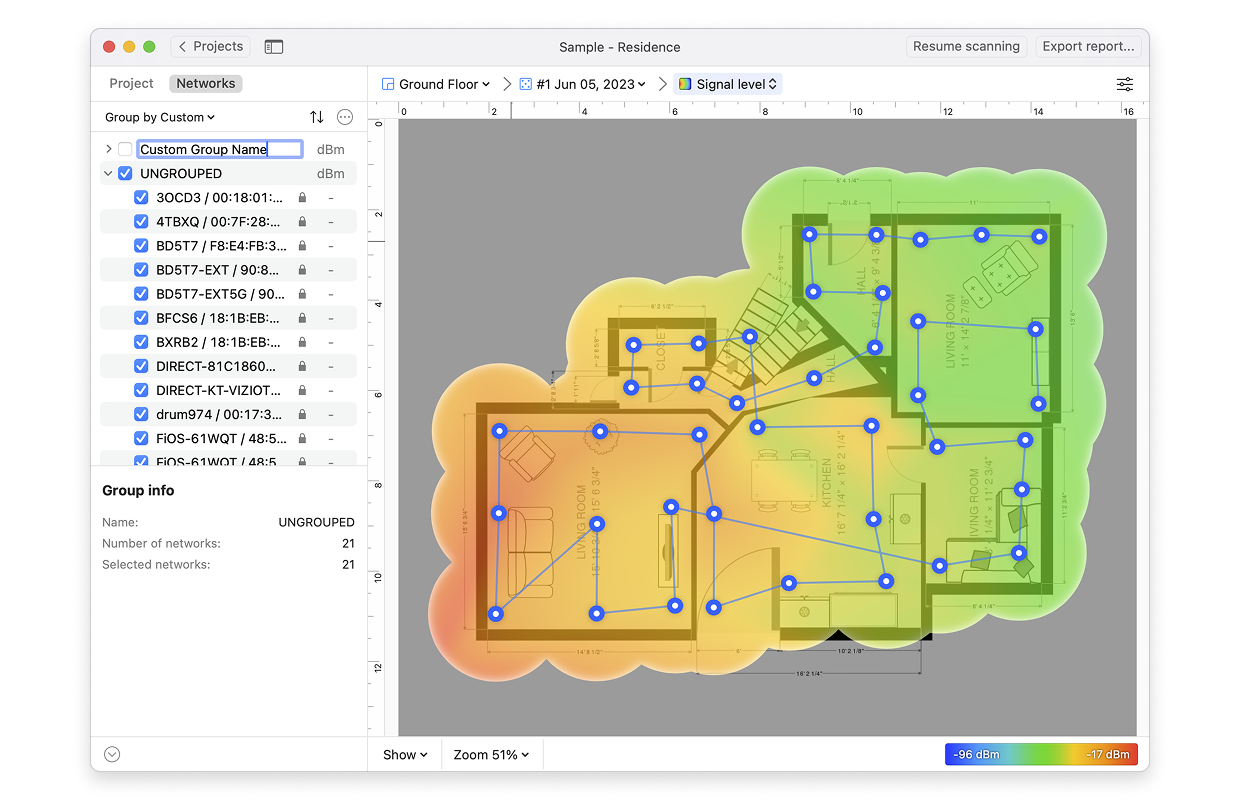
- Repeat steps 2 and 3 as needed for additional custom groups.
- Drag the networks you wish to add onto the custom group name or select the networks by checking the boxes next to them, right-click on the network list
-> Move selected APs to a group ->select group name from the list.
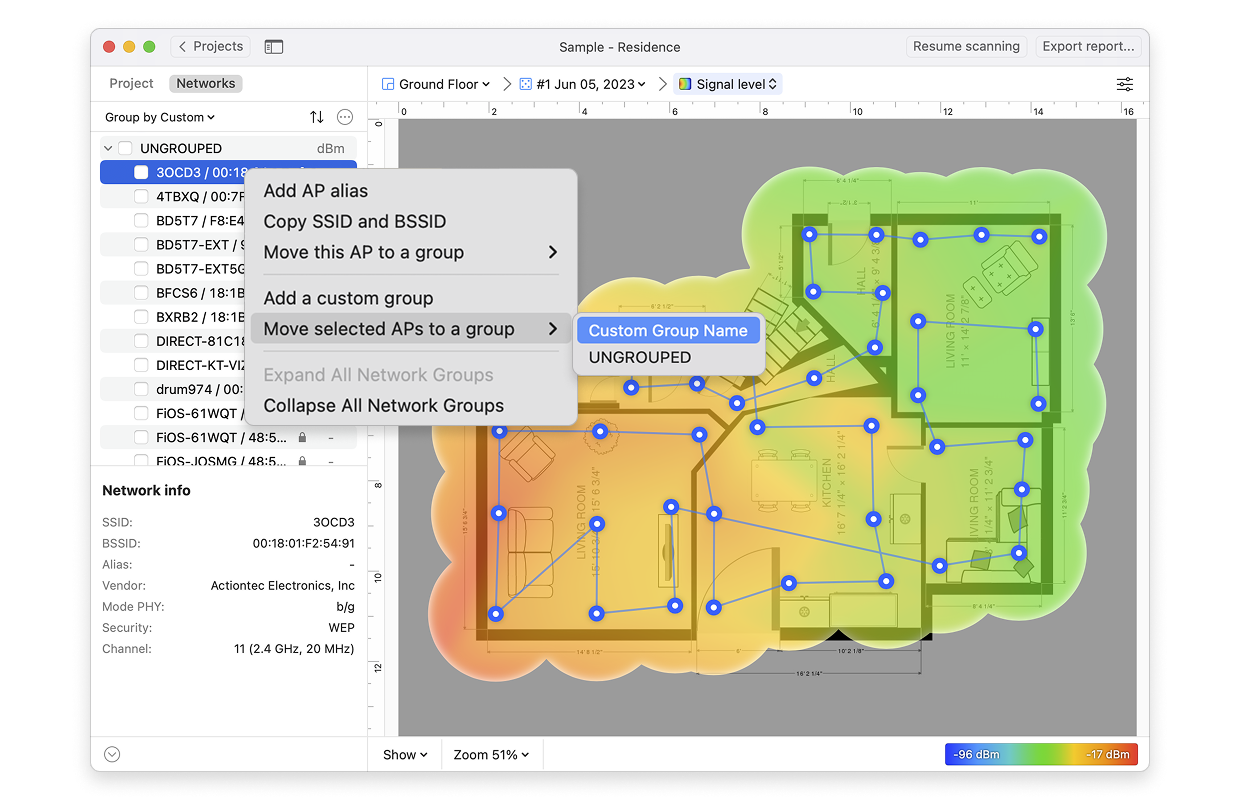
- To select, or deselect, all networks within a group, simply click the checkbox next to the group name.
Download NetSpot WiFi manager for Windows
updated: September 22, 2026 author: