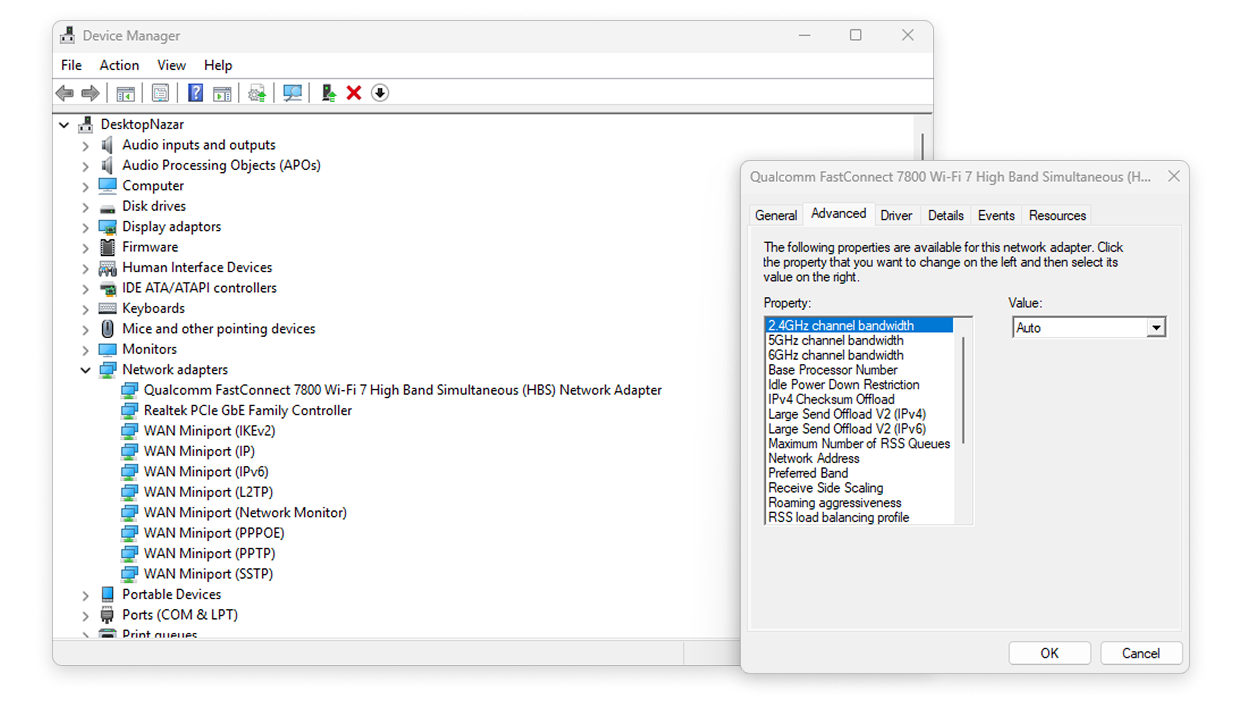
If you are not seeing your 6 GHZ network in Inspector mode reports or in the Survey mode projects, it is possible that your computer hardware doesn’t support this frequency. Here is how you can check on your Mac computer:
Newer Mac and Windows computers support 6GHz, however there might be regional limitations. The 6GHz band is displayed in NetSpot on laptops with compatible adapters and if this band is allowed for use in your country.
To check which channels are supported on your Mac, go to System Settings → General → About → System Report → WiFi → Supported Channels.
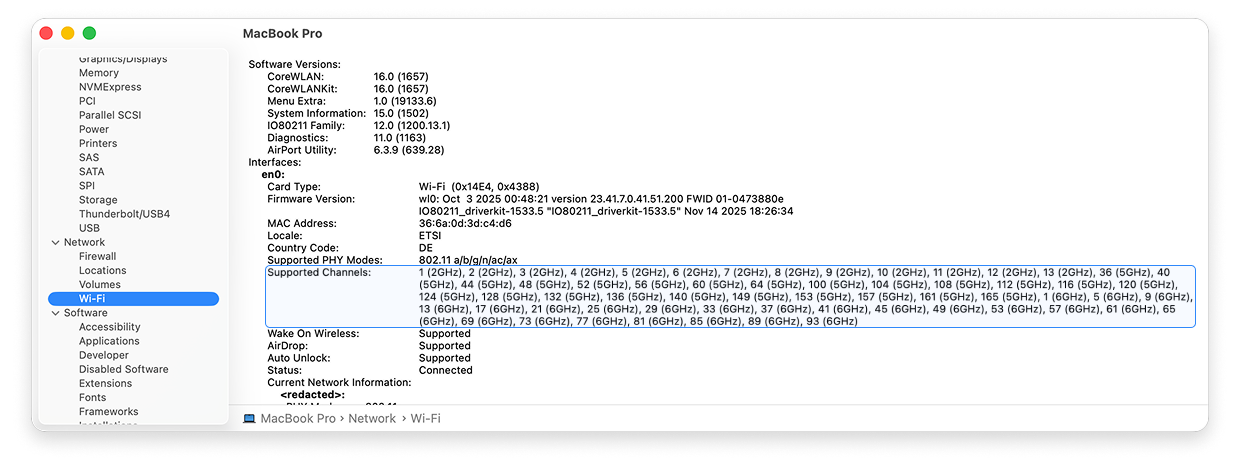
To check which channels are supported on your Windows laptop use search in Windows → Run → In the window that opens, type cmd → Click OK. Or for newer Windows computers simply use the context menu on your desktop → “Open in Terminal” option.
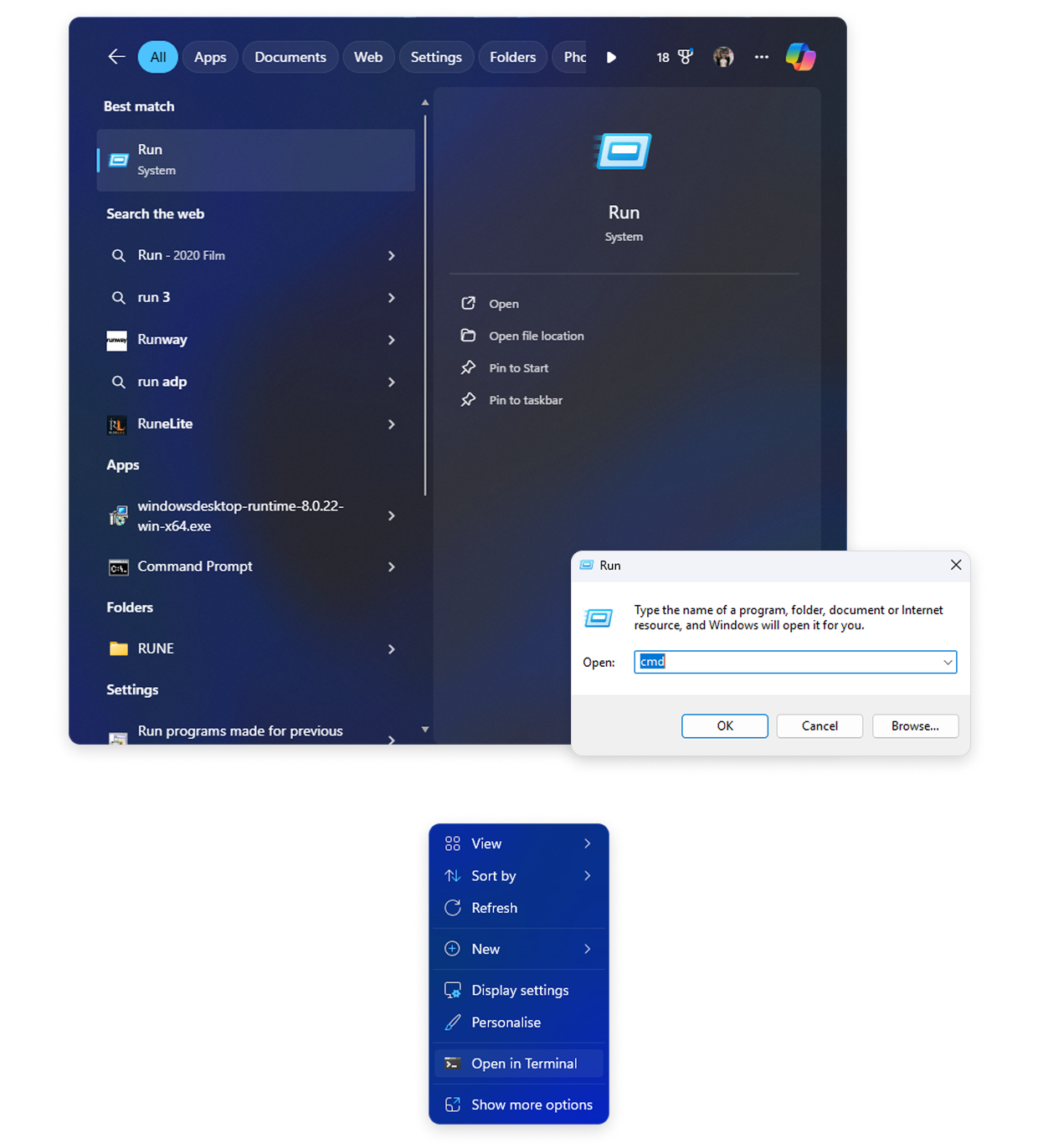
Once in Terminal, input the following command: netsh wlan show drivers to have all supported frequency bands displayed along with other related information.
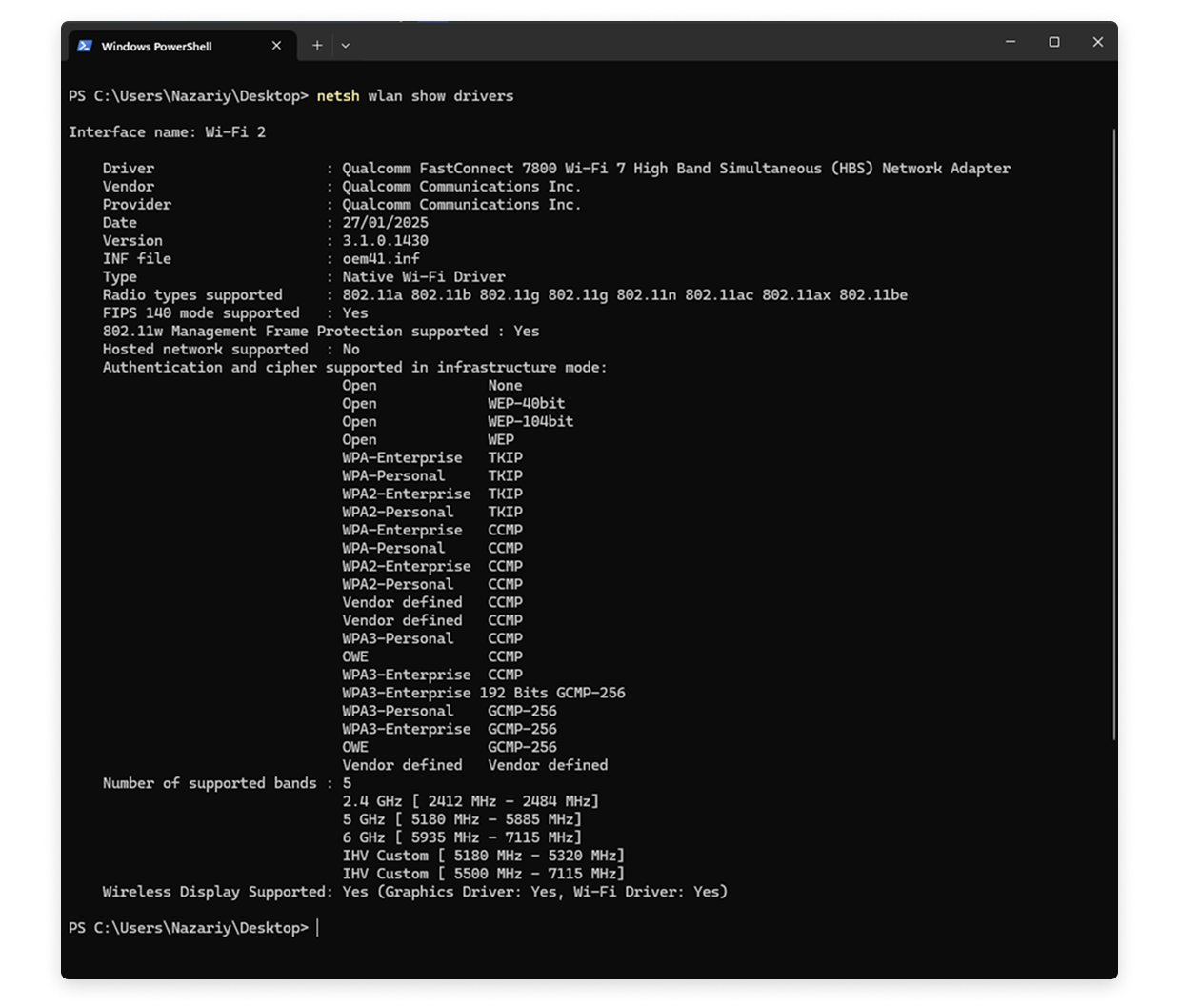
If you specifically want to check the parameters of your WiFi adapter, use the Device Manager → Network adapters → Right-click the current Wi-Fi adapter → Properties → In the new window switch to the “Advanced” tab.