We are pleased to announce the release of NetSpot version 6.1. Download the latest version today to experience the improvements and some very anticipated new settings!
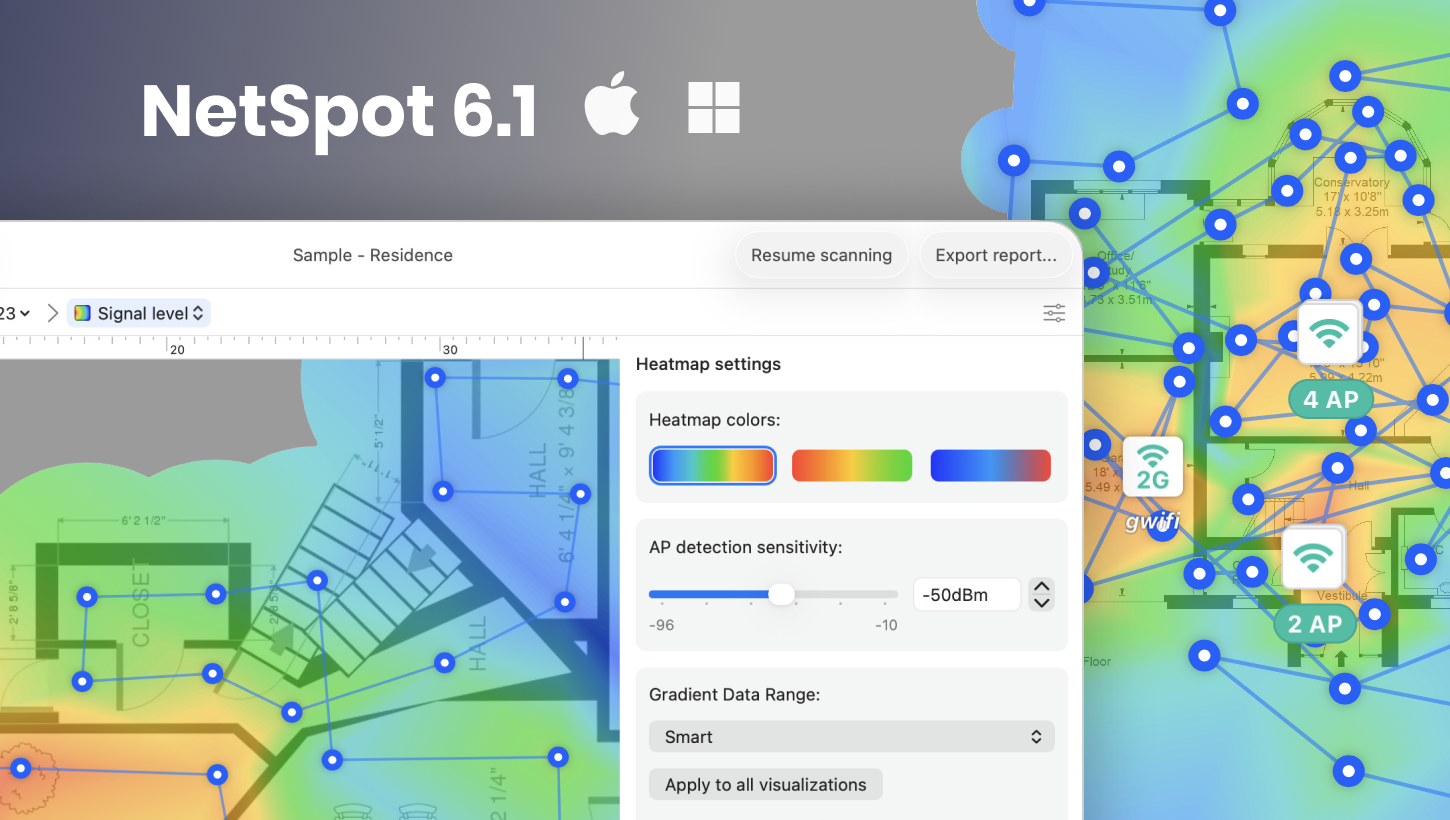
Here is what’s new in this release:
- added Smart Data Range in Heatmap Settings: the heatmap scale is now dynamically built using real-world data, setting the weakest measured signal as the minimum and the strongest as the maximum.
- added Gray Out Unmeasured Area Option: areas with weak or no measured signal can now be automatically grayed out.
- added Access Point Grouping on Map: when zooming out, nearby APs are automatically grouped into clusters.
- added In Planning Mode AP names can now be displayed on the map, either alongside the network name or independently.
- improved Faster Performance for Large Projects (Windows): Significantly accelerated loading, map and network list rendering for large projects in both Survey and Planning modes.
- improved Faster Heatmap Generation on macOS when working in Survey mode.
- improved The reports now include BSSIDs, network aliases, and specific access point names.
- improved Overall application stability and performance speed improvements.
- fixed Addressed an excessive memory consumption when importing large Survey projects on Mac.
You can download NetSpot 6.1 here. Or you can follow the auto-update prompts in your already installed app.
As always, your feedback is greatly appreciated by our team! Drop us a line at onair@netspotapp.com.
Date: 11/16/2026
updated: November 16, 2026 author: