Top-Rated WiFi Site Survey, Planning and Design Software. Mac & Windows. Pro Results!
Plan new wireless networks, optimize existing ones, run a wireless survey, and create WiFi coverage visualizations all in one friendly app. 20+ types of heatmaps are available with comprehensive customizable reports.
3 Simple Steps for a Smooth and Even Wi-Fi Coverage
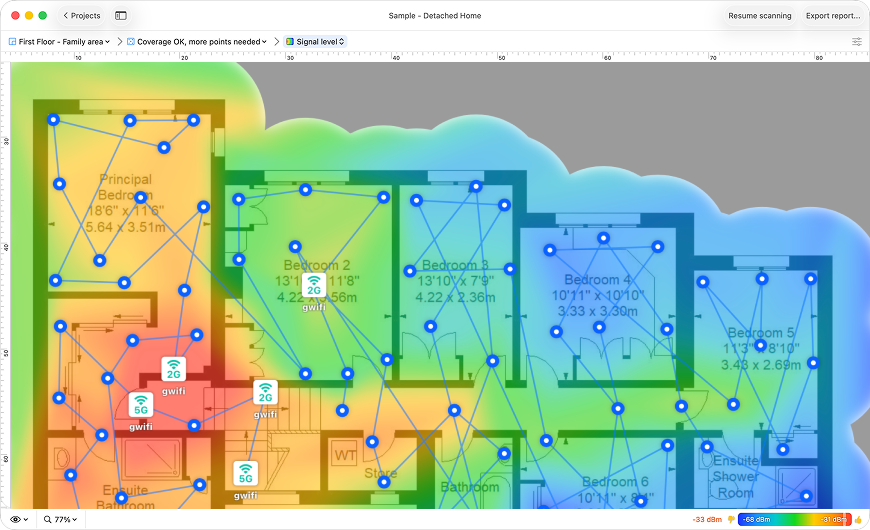
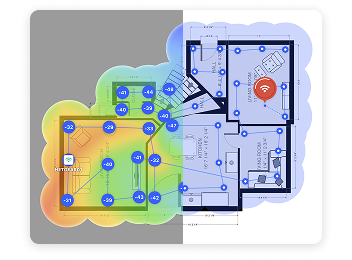
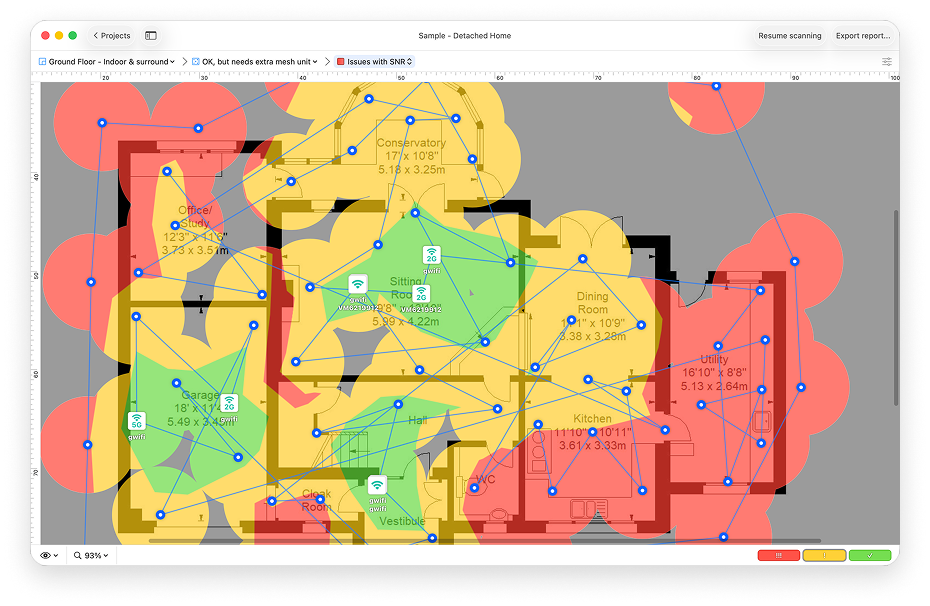
Visualize Wi-Fi coverage & detect "dead zones"
Quickly and easily survey any space—regardless of whether it’s a small office or a multi-floor commercial space—and review the collected information with the help of different Wi-Fi heatmaps to analyze radio signal leakages, map the channel usage, etc.
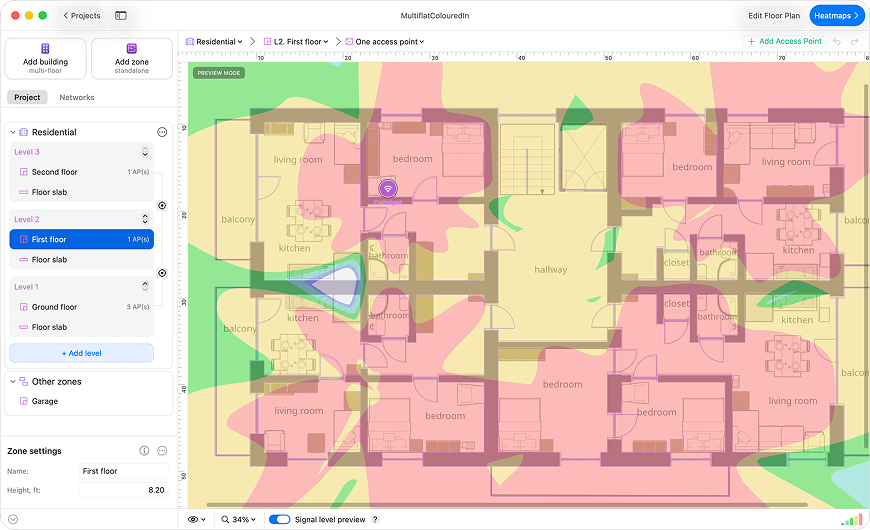
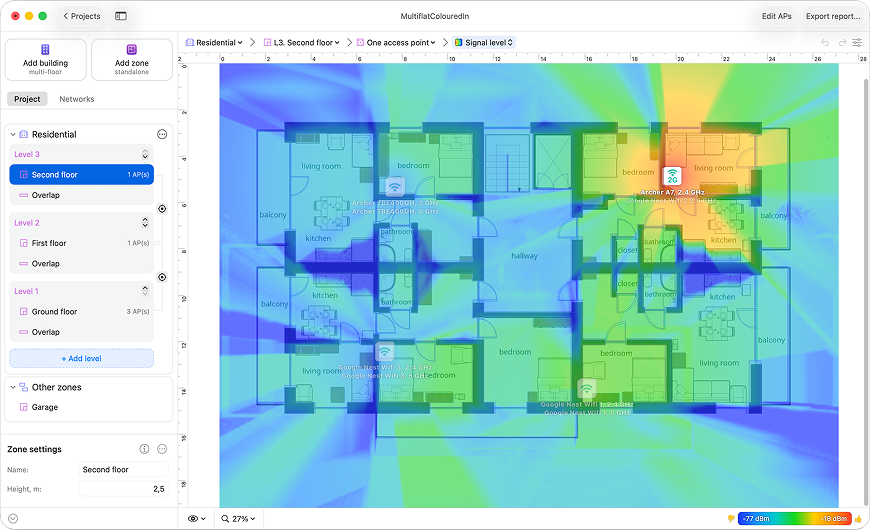
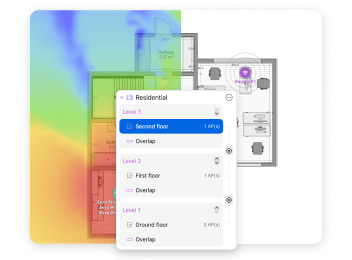
Improve your network with WiFi design
Improve an existing WiFi network or design one from scratch. NetSpot offers a powerful toolset for creating a multi-floor or single-level layout of your space with walls, doors, and windows made of various materials. An extensive list of APs ensures accurate coverage simulation.
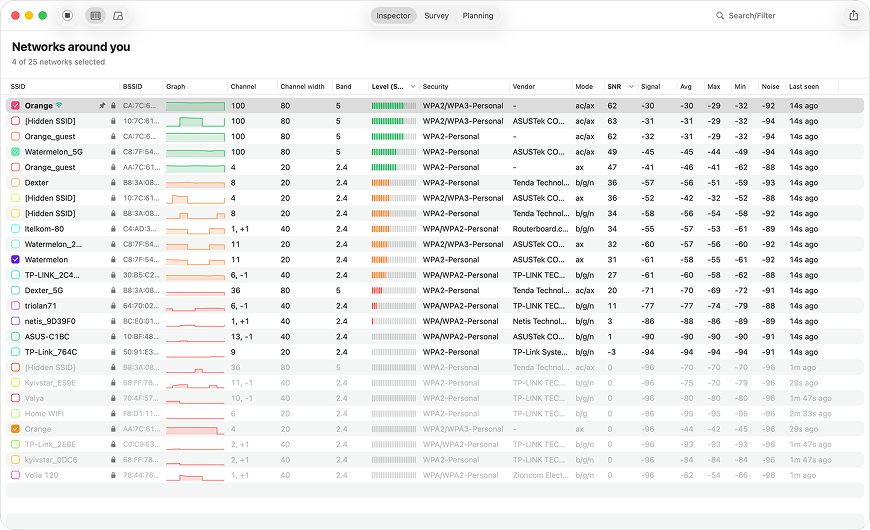
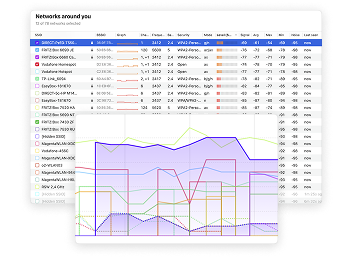
Quick Wi-Fi Networks Check
Swiftly collect real-time information about all surrounding WiFi networks. The information is presented as an interactive table, and includes channel info, transmit rate, router vendor, security type, band, and more.
Put NetSpot to Work
Who it is for
IT and network administrators
MSPs
Network engineers
Small business owners
Consultants
Home owners
Wi-Fi deployment agents
Educational institutions
Warehouse operators
What it can do
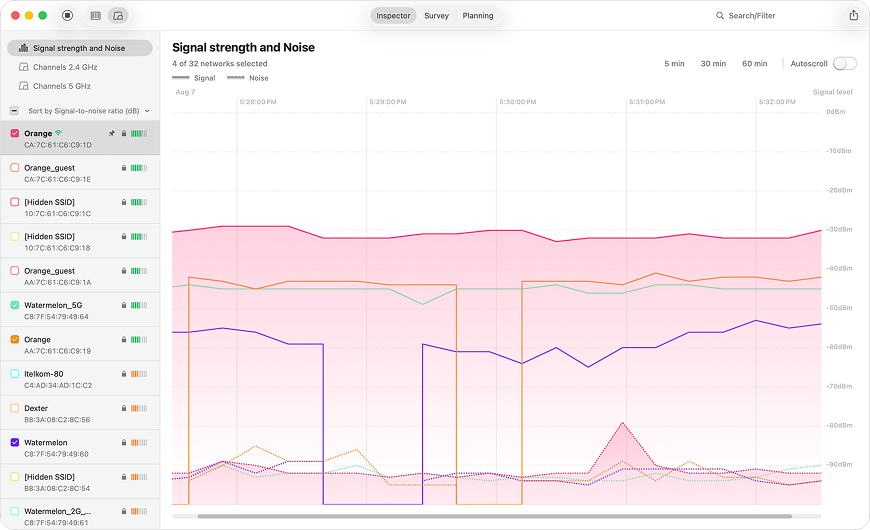
Analyze signal strength
Detect WiFi interference
Perform WiFi site surveys
Create detailed WiFi heatmaps
Identify "dead" zones
Simulate WiFi coverage
Export professional reports
How to Fix WiFi Issues Using NetSpot
Discover how to confidently diagnose and fix your Wi-Fi issues before you decide to spend money on a new expensive hardware.
Benefit with Interactive WiFi Heatmaps
Passive scanning
Signal level
Signal-to-noise ratio
Noise level
Secondary signal level
Signal-to-interference ratio
Quantity of access points
Frequency band coverage
PHY mode coverage
Active scanning
Upload speed
Download speed
Wireless Transmit rate
Iperf TCP download speed
Iperf TCP upload speed
Iperf UDP download speed
Iperf UDP upload speed
Iperf UDP jitter
Troubleshooting
Issues with SNR
Low signal level
High level of noise
Overlapping channels (SIR)
Low secondary signal level
The Comprehensive WiFi Site Survey Software for Any Situation
Whatever WiFi problem is, you are covered by our powerful and 100% trustworthy WiFi survey and analysis tool!
WiFi Dead Zones
Identifying specific areas where the signal completely disappears due to distance or structural blocks.
Choosing AP Placement
Stop guessing where to put the router—move the AP on your digital map to see coverage shift in real-time.
Channel Overlap
Seeing "crowded" channels where your neighbors' routers are fighting for the same frequency.
Slow Upload/Download Speeds
Files take forever to transfer, and video calls constantly buffer, even when your signal bars appear to be full.
High-Density Office Layouts
In an office with 50+ employees, one router isn't enough. Plan a "mesh" or multi-AP system where coverage overlaps perfectly without the signals "fighting" each other (i.e. co-channel interference).
Hidden SSID Interference
Just because a network is hidden (SSID broadcast disabled) doesn't mean it isn't hogging up wireless airtime. It's like a ghost car on the highway—you can't see it, but it still blocks the lane.
Signal Leakage
An overly powerful signal isn't just wasted energy; it provides a larger target for unauthorized users to attempt to crack your network from outside your home or office.
Cost Optimization and Hardware Budgeting
Simulating your environment first reveals if you truly need multiple expensive Access Points or if a few well-placed ones can do the job, saving you significantly on hardware and installation.
Don’t Just Take Our Word For It
Wayne Williams from Betanews
With a few walks around your home or workspace, you can visualize where your signal is strongest, weakest, or completely missing.
Brad Reed from BGR
All told, this seems like a really cool app that can help you plan out your home Wi-Fi setup and help you troubleshoot problems with your wireless connections.
Steven Vaughan-Nichols from zdnet
If you have dead spots, you may want to map your Wi-Fi signal with a program that can generate a heat map. The best of these programs is NetSpot.
Ryan RozichNetSpot user Trustpilot review
I've been using NetSpot at home and it's been a game changer for setting up my WiFi. Despite having a UniFi system and WiFiman at my fingertips, I still opted to pay for NetSpot.
Nikoloz KatsitadzeMSP company Trustpilot review
We are MSP company and this tool helps us to resolve wi-fi issues in our clients, Also it is great tool to plan wi-fi networks.
Lejardin ElpadreNetSpot user Trustpilot review
A NETSPOT user for many years on MAC, I now use the PC version and appreciate the accessibility of the software for excellent customer results. (mobile app is great too). I recommend.
FAQ
NetSpot is an all-in-one Wi-Fi analyzer and survey tool designed for heatmapping and network planning. By scanning networks and measuring signal strength, it maps your Wi-Fi coverage to help eliminate dead zones, reduce interference, and boost overall performance. You can also use it to design and plan new networks by placing virtual access points to accurately predict coverage.
NetSpot offers both free and paid versions. The free edition features Inspector mode, allowing you to scan and analyze nearby Wi-Fi networks in real time to view essential details like signal strength and channels. For deeper insights, the paid editions unlock advanced features such as heatmaps, site surveys, and Wi-Fi planning tools. Compare editions.
Designed for professionals, but friendly enough for WiFi enthusiasts, NetSpot PRO provides full site surveys, heatmaps, and planning tools for mid-sized projects. For larger environments, NetSpot Enterprise includes everything in PRO plus unlimited zones, data points, and snapshots. With support for 10 users, it is built to handle complex networks and larger teams. Compare PRO and Enterprise.
No special hardware is required to use NetSpot. It utilizes your device’s built-in Wi-Fi adapter to scan networks, measure signal strength, and generate heatmaps. For most situations, a standard laptop or mobile device is all you need to effectively analyze and optimize your Wi-Fi. You have an option to use an external WiFi adapter with NetSpot for Windows if you prefer a specific one.
NetSpot is fully compatible with the latest wireless standards, including Wi-Fi 6, 6E, and 7.
NetSpot
The Ultimate WiFi Site Survey & Design Software for Mac & Windows. You Deserve a Better WiFi
You can explore NetSpot’s capabilities for free at any time. Use sample projects to experience Survey and Planning modes, visualize how heatmaps are created, and learn about the features before upgrading. It’s the best way to ensure the software meets your needs.
Technical Specifications
Runs on a MacBook (macOS 11+) or any laptop (Windows 7/8/10/11) with a standard 802.11be/ax/ac/n/g/a/b wireless network adapter.
Your projects are cross-platform and can be opened in NetSpot for macOS and Windows.


 4.7